
Home / Quotation Management Software

STREAMLINE YOUR BUSINESS OPERATIONS WITH OUR SMART QUOTATION MANAGEMENT SOFTWARE

Tired of the dependency on your team for slow, manual quotation processes?

This is where you require our customizable quotation management platform. It allows you to:

  • Create professional quotations in minutes
  • Manage clients, products, and quotations in one place
  • Track quotation status from pending to approved
  • Convert approved quotes into purchase orders smoothly

Empower your team to effortlessly manage, process, and send professional quotations. This will transform the way you do business, putting you in control and securing the right quotation to the right customer while you focus on closing the deal.
Start your 7-day free trial

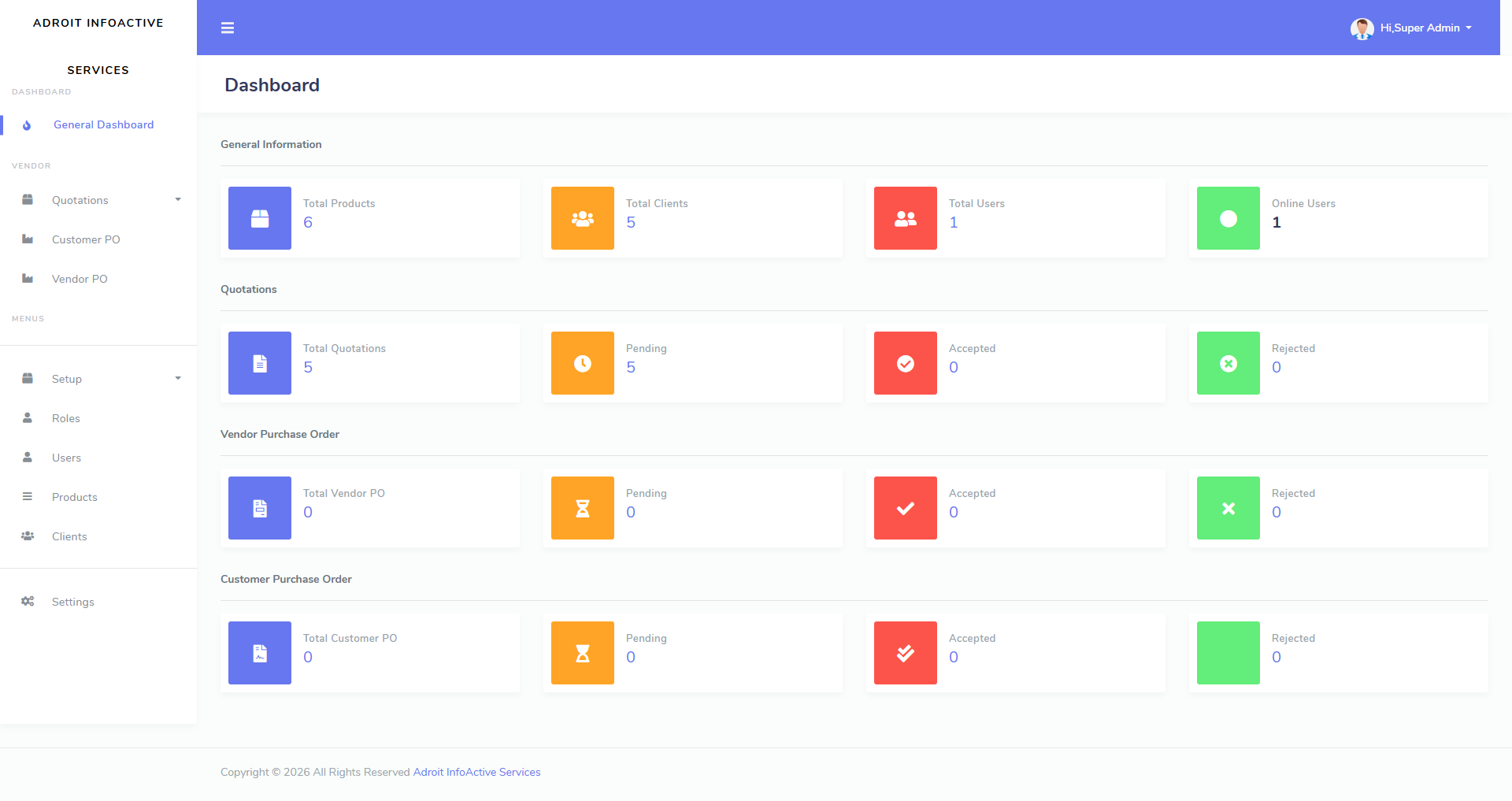
Quotation Management Dashboard

About Quotation Management Software

Stop letting administrative friction slow down your growth.

Accelerate Your Sales Cycle With Total Process Automation Into a High-Performance Engine.

Our solution centralizes your entire sales operations.

By unifying invoicing, shipping, and reporting onto one dashboard, it empowers your team to ditch the paperwork; streamline your sales process; remove bottlenecks; and boost accuracy to let you focus on the bottom line - Closing Deals.

How Your Business Will Benefit From Our Quotation Management Software?

1

Setup and Configuration

By configuring settings like Pricing Rules, Discount Structures; & Templates, your business can set up Quotation Management Software.

2

Database Management

You can use the software to create and maintain a customer and product database along with descriptions, pricing, and other customizable options.

3

Quotation Creation

With our software, users can quickly and accurately generate quotations as soon as a customer request is received.

4

Quotation Customization

This will allow you to customize quotations based on customer preferences or specific requirements.

5

Quotation Follow-up and Revision

Users by using the software can track the status of quotations, including finding out whether they have been accepted/rejected along with setting-up follow-up reminders.

Features

Create Professional Quotations

That transforms your every sales quotation into a powerful statement. Turn every document you send into a marketing asset. They leave a lasting impact that builds with your clients, trust and authority.

Quotation Templates

Configure branded quotation templates to enforce full control, mandatory fields; & consistency. This will ensure every document you send perfectly represents your professional business standards.

Tracking of Your Team’s Activity

Empower your team with clear visibility into daily quotation activities. Track who created, updated, or followed up on quotations, helping your business improve accountability, speed up responses, and close deals faster.

Reporting

Instantly monitor critical KPIs, including pending quotations; conversion rates; high-value clients; and sales performance by vendor, product, or service. Gain with just a few simple, intuitive clicks actionable insights into your total business metrics.

Quicker, More Precise Quotations for Manufacturing Sales

Streamline your sales cycle, reduce costly manual errors and bottlenecks, and cut your time-to-quote — ensuring your customers receive accurate, customized quotes in minutes. Better still, it boosts your conversion rates. Let our quoting software transform your quoting process today.
Book your demo now!
Explore Adroit QMS Dashboard

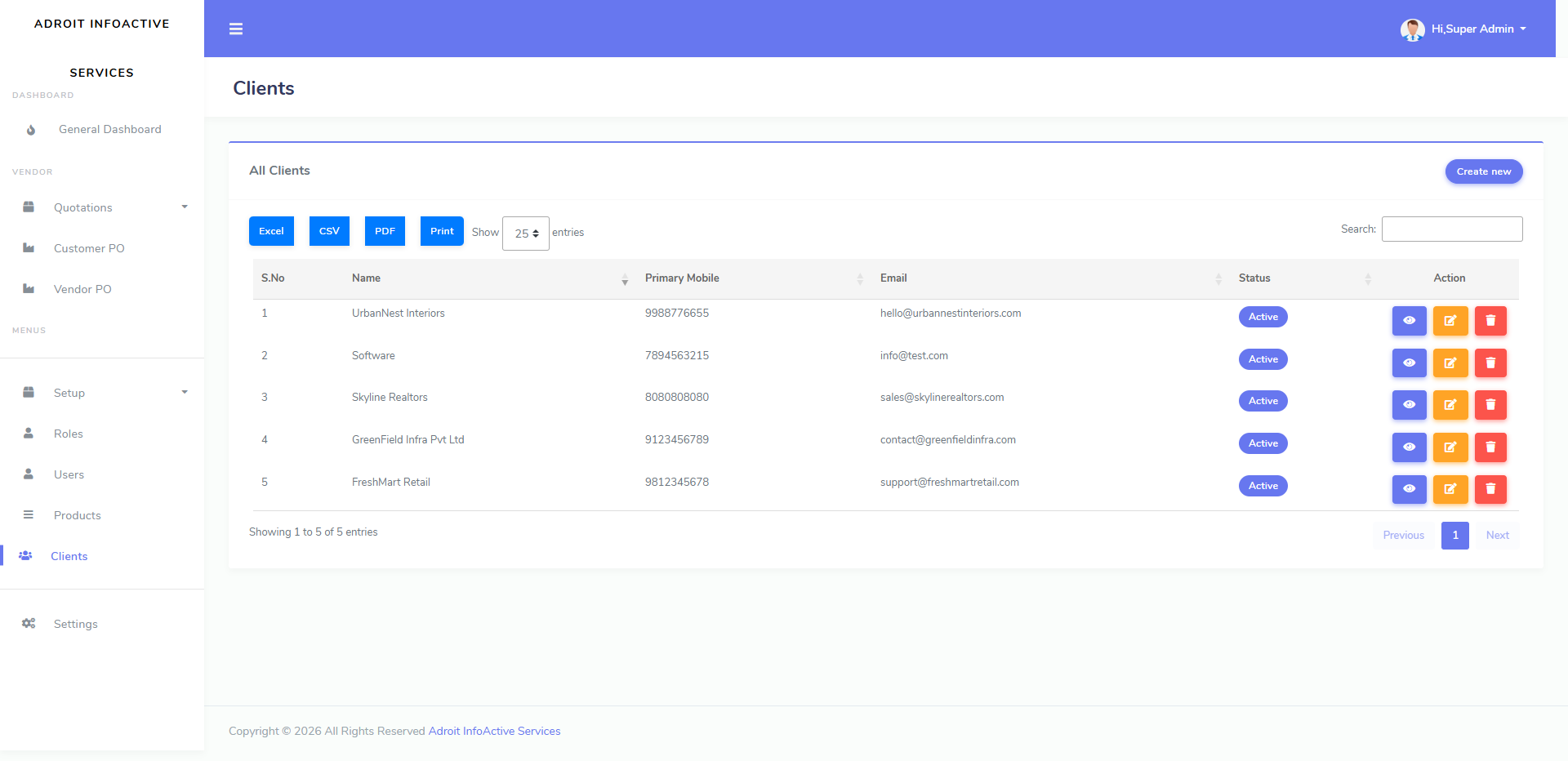
Clients Dashboard

Manage all your client information in one organized place.
  • Store client details like name, mobile number, email, and status for quick access.
  • Easily add new clients and update existing client information whenever required.
  • Search, export, print, or download client data for smooth business communication.

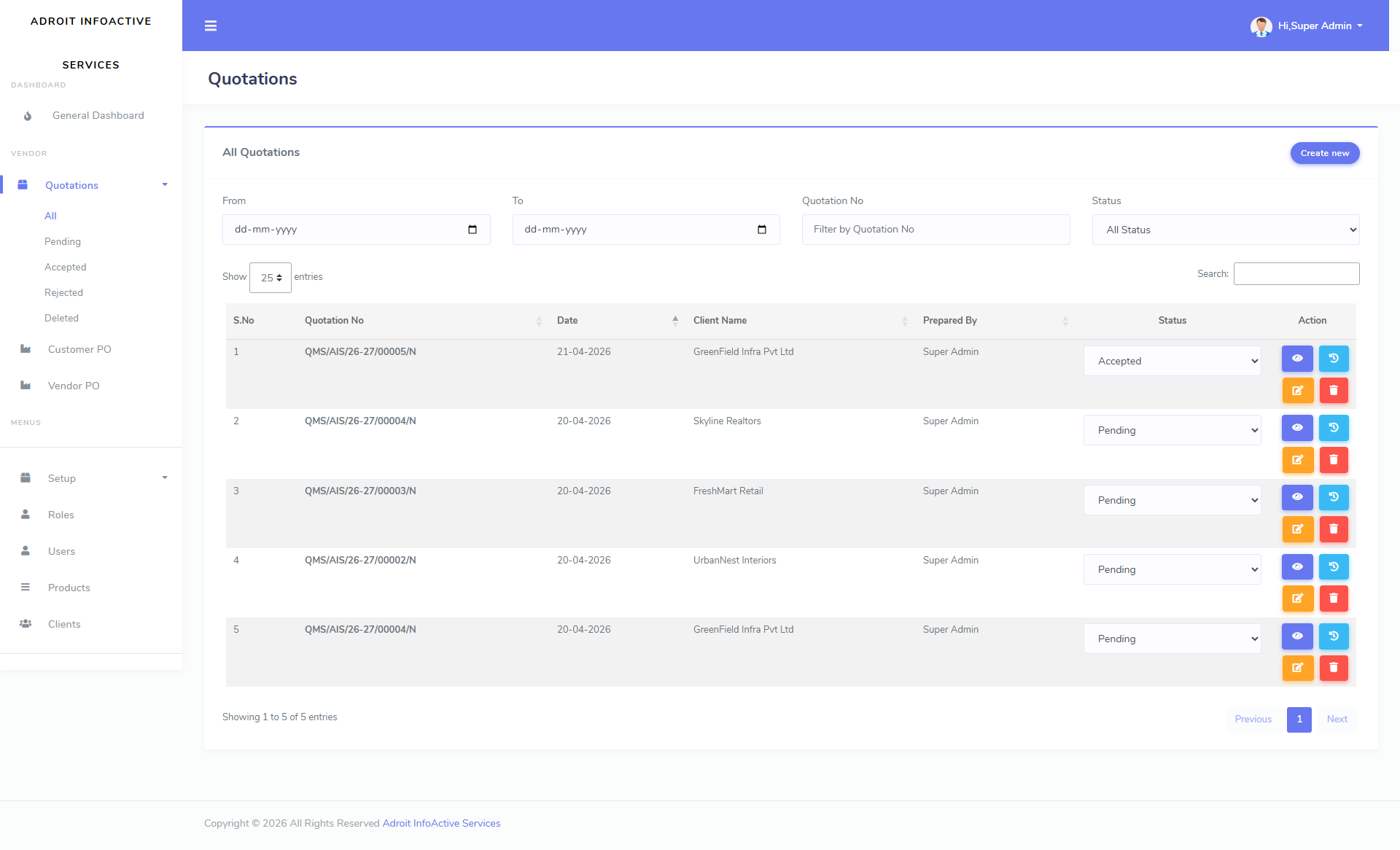
Quotations Dashboard

Create, track, and manage every quotation from a single dashboard.
  • View all quotations with number, date, client name, and current status.
  • Filter quotations by date, number, or status to find records quickly.
  • Update quotation status such as Pending, Accepted, or Rejected to track progress.

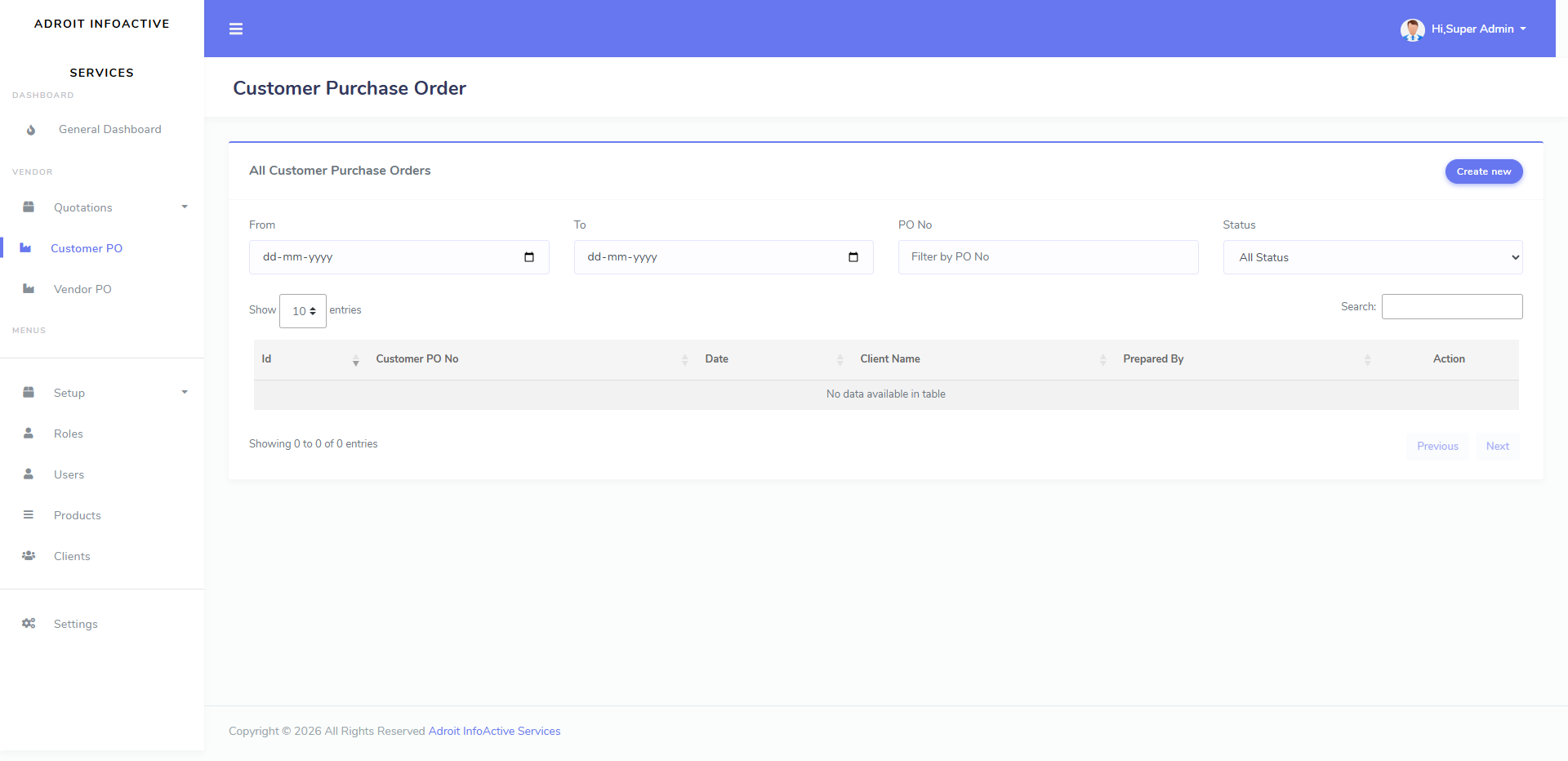
Customer Purchase Order Dashboard

Track customer purchase orders after quotation approval.
  • Manage customer PO details including PO number, date, and prepared-by info.
  • Use date, PO number, and status filters to quickly find specific orders.
  • Connect approved quotations with customer orders for better sales tracking.

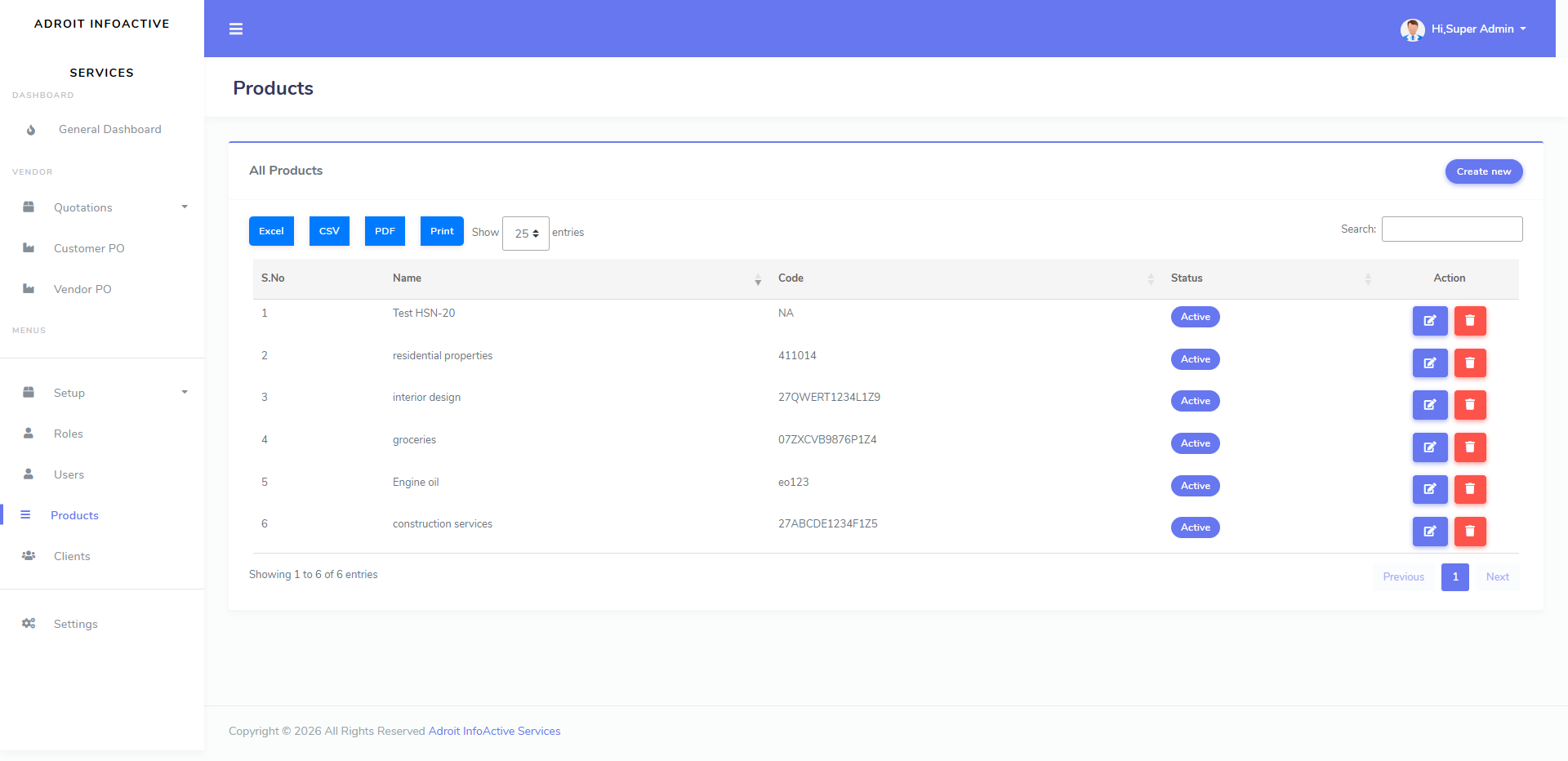
Products Dashboard

Maintain a complete product list for faster quotation creation.
  • Add and manage product names, item codes, and status in one place.
  • Quickly use saved products while preparing quotations, reducing manual errors.
  • Export, print, or search product records to keep pricing data organized.

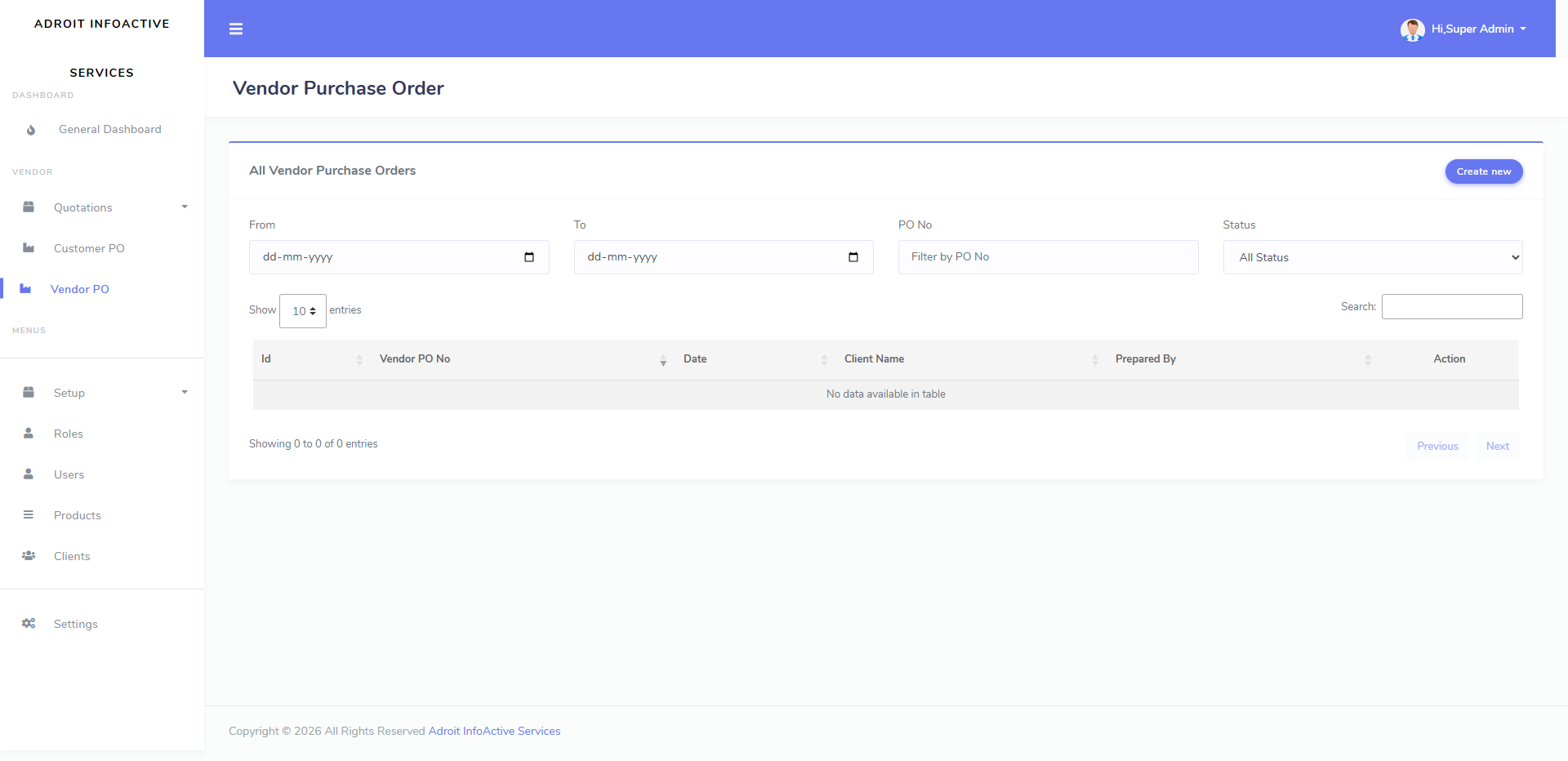
Vendor Purchase Order Dashboard

Manage vendor purchase orders for smooth procurement tracking.

  • Create and track vendor PO records with date, vendor name, and preparer details.
  • Filter vendor purchase orders by date or PO number for easy monitoring.
  • Useful for managing supplier orders and backend procurement workflows.
× Dashboard Preview

FAQ's

What is Quotation Management Software?
It indicates a type of Sales Quotation Management Automation tool that allows companies to create, send, and track quotations. Different types of organizations across sectors can use this software to speed-up the quoting process. This will result ultimately in a much more efficient sales process leading to more clients.
Is it possible for me to customize my quotations?
Yes. You can customize your quotations. This can be especially beneficial if you’re using a professional-grade or bespoke Quotation Management Software (QMS) solution.

Designed with modularity in mind, it will allow you to:
  • Tailor your branding
  • Create dynamic templates
  • Integrate data
If your current setup feels rigid, it is likely a configuration issue. This can be addressed by updating your templates or workflow triggers within your system’s administrative settings.
Can Multiple Users Access the Software?
Yes. It is specifically designed to support multiple users and collaborative workflows.

The software enables multiple users to access the platform,
  • Allows Role-Based Access Control (RBAC). You can define specific permissions.
  • Facilitates real-time collaboration. Multiple team members can work without version control issues within the same ecosystem.
  • Ensures centralized audit trails. Every action is logged. Like who created a quotation, who edited it, and who approved it.
  • Eliminates the email bottleneck where one individual is the sole gatekeeper for quotation generation.
PLEASE NOTE: If your existing system does not facilitate multiple users, it is likely a configuration setting rather than a technical issue.

Book Your Free Demo Today

With one platform and unlimited possibilities, you can discover new ways of using the Quotation Management Software.

Book Your Free Demo Today